Create a list
Creating a task list is the first step to getting the work done. When the list is ready, we must distinguish urgent tasks from important tasks.
- Urgent tasks require your immediate attention. They must be done right away, and their non-completion within a specified deadline causes specific consequences, e.g., Completing a project with a deadline set for the last minute / Repairing a broken pipe in the apartment.
- Important tasks may not require immediate attention, but they will help you achieve long-term goals, e.g., Establish business contacts to build a customer base / Perform regular housework and maintenance.
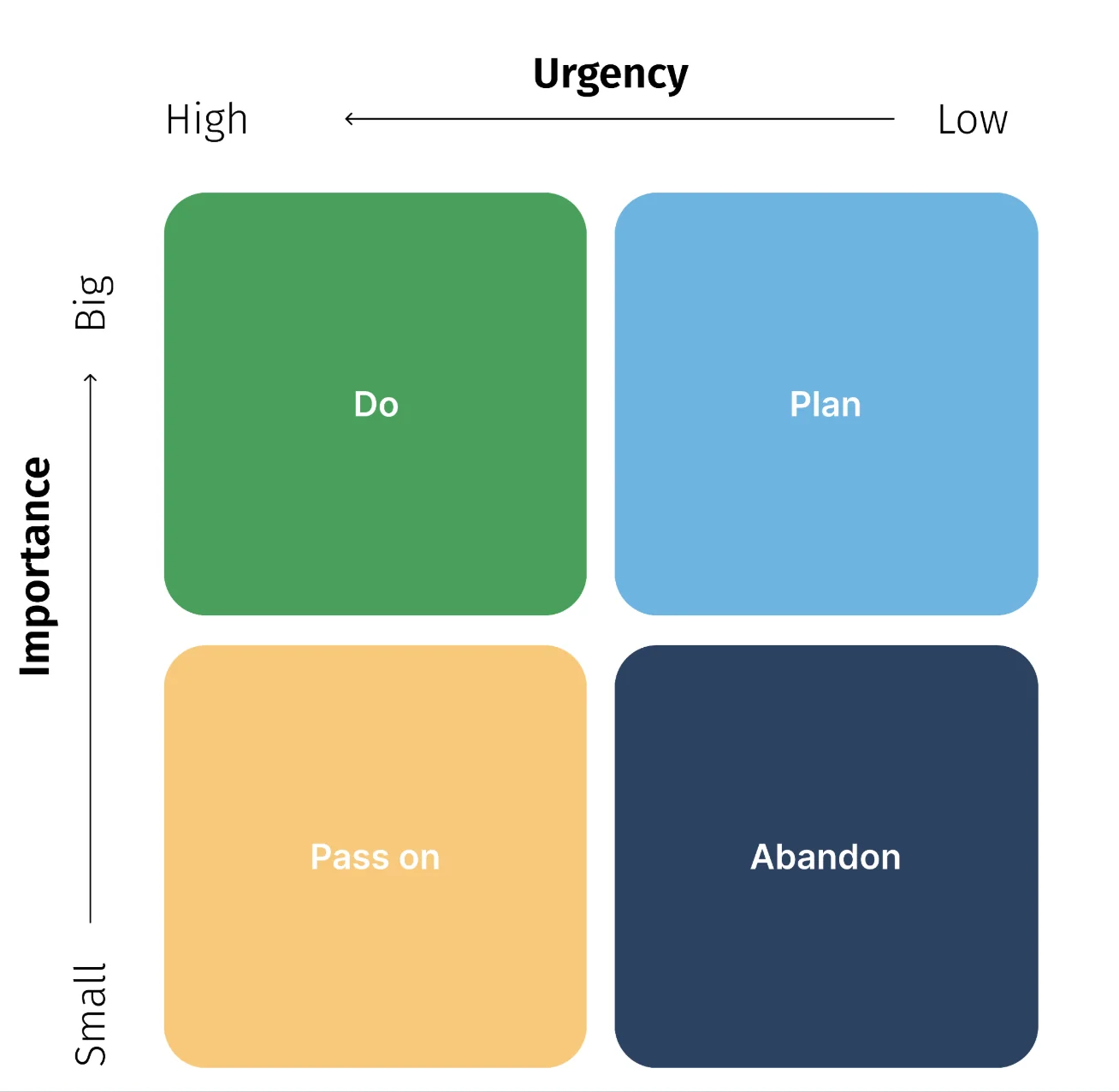
Quadrant I: urgent and important tasks - to do
Tasks that are both urgent and important. They must be done as soon as possible, their untimely execution brings consequences, and they affect your long-term goals. These are tasks that are your priority, and their implementation is fraught with high stress.
Example tasks in Quadrant I:
- Write tomorrow’s blog post
- Finish writing a project proposal
- Reply to client emails
Quadrant II: to be scheduled - unimportant tasks, but they are urgent
Tasks that are urgent, but not important. They must be done as soon as possible, but do not affect your long-term goals. These are tasks that probably do not specifically require your skills or engagement. You can therefore delegate them to other team members.
Quadrant III: to be delegated - urgent, but not important tasks
Delegating tasks is one of the most effective ways to manage workload and ensure the team has opportunities to expand their skill set.
Example tasks in Quadrant III:
- Publish blog posts
- Transcribe meeting notes
- Reply to emails from non-clients
Quadrant IV: to be dropped - task neither urgent nor important
After analyzing your task list and placing tasks in the first three quadrants, you will notice that a few tasks remain. These are tasks that are neither urgent nor important. These non-urgent and unimportant tasks are distractions and seemingly significant matters that will only hinder you from achieving your goals. Place them in this quadrant.
Example tasks for Quadrant IV:
- Task-related activities
- Attend a status meeting
- Share status approvals
Tips to help you prioritize your tasks
- Assign colors to your tasks.
This will help highlight those with the highest priority. Analyze your task list and try to use four colors for different priority levels as follows: Green = highest priority (Quadrant I), Yellow = second highest priority (Quadrant II), Blue = third highest priority (Quadrant III), Red = non-priority task (Quadrant IV).
- Limit the number of tasks to 10 per quadrant.
Even if you have many tasks on your list, try to limit them to 10 per quadrant. Thanks to this, your Eisenhower Matrix will not become overwhelming. - Create separate lists for personal and work-related tasks.
Different types of tasks will require different timeframes, resources, and methods, and likely different thought processes. To effectively manage personal and professional goals, you must separate them from each other. - Eliminate, then prioritize.
Start by eliminating unnecessary tasks to effectively set your priorities. With this strategy, you will deal with the fourth quadrant before moving on to the first, second, and third quadrants.